HOSTAFRICA Domain Reseller Integration for WHMCS
A step-by-step guide

Wycliffe
Last Update hace 2 meses
- Once you have purchased a Domain Reseller package, you can begin reselling domain names through WHMCS, Blesta, or any other supported billing and automation platform.
- This guide walks you through integrating your Domain Reseller account with WHMCS.
Installation of Registrar Module
- Log in to the HOSTAFRICA Client Panel as guided here:
- Navigate to the Domain Reseller Area from your HostAfrica Panel.

- On the new page, click on the Integrations button.

- Here you will find your API key and API URL, as well as an area to enter your WHMCS IP address in “Allowed IP Addresses”
This is to restrict API calls to your WHMCS instance only as an additional security measure.
You can add your IP addresses to the whitelist and save the changes.

- Scroll down the page to find the Available Integrations, respectively:
HOSTAFRICA Domain Reseller Module BLESTA
HOSTAFRICA Domain Reseller Module WHMCS

- The WHMCS module is one of the two integration options available.
- Click the WHMCS Module to download it; usually the one on your right.
- Before proceeding, ensure that you have a working WHMCS installation.
- If you do not already have WHMCS, you will need to purchase a licence directly from WHMCS, install the software on your server, and activate your licence.
- You can view the available licensing options on the WHMCS Pricing & License Plans for Hosting Providers page.

- Find the downloaded file and ensure that it reads exactly like this:
HOSTAFRICA Domain Reseller Module WHMCS. - If it is the correct one, proceed and extract the zipped file.
- The archive should contain a directory named "modules".
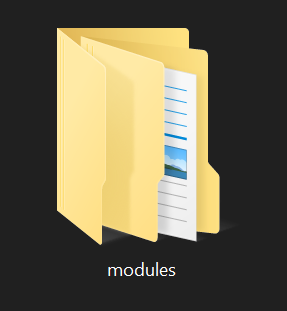
- Upload the extracted directory to your WHMCS root directory.
- Your WHMCS installation should already contain a modules directory.
- If you are prompted that the directory already exists, choose Overwrite or Merge, depending on your file manager or FTP client.
- This will not remove any existing modules.
- It simply adds the new registrar module alongside the modules already installed.
- Once the "HOSTAFRICA Domain Reseller module" has been uploaded, log in to your WHMCS admin area.
- Navigate to Setup > Products/Services > Domain Registrars.
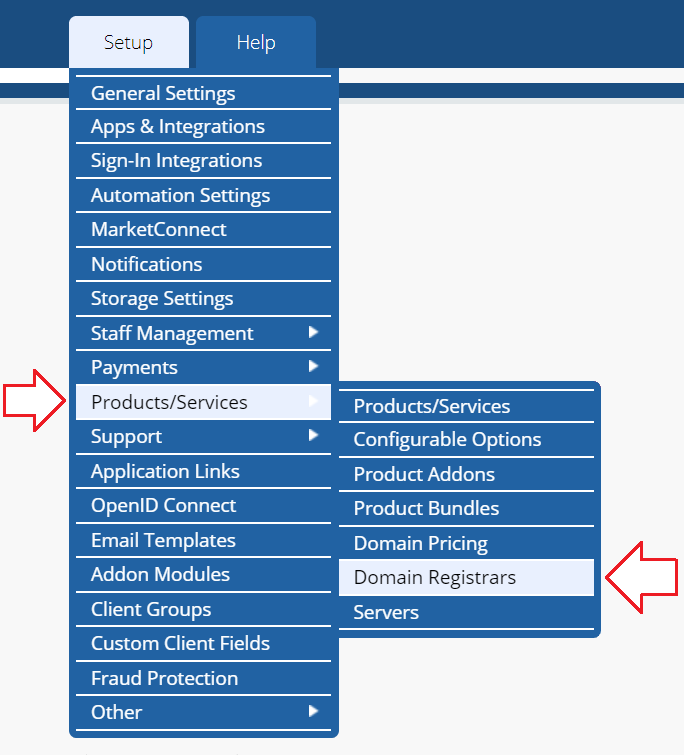
- Find “HOSTAFRICA Domain Reseller Module” press the “Activate” button on the right side

- Once the module has been activated, click "Configure" on the right side.

- If you had left the “Reseller Area” window from your HostAfrica client panel, go back and open it as you will need the “API Email Address” and “API Key” from there.

- Copy values from the “Reseller Area” to your WHMCS in the fields of the enabled registrar module.
- API Email Address > API Username
- API Key -> API Key
- Click on Save Changes

- Continue navigating to Setup > Products/Services > Domains Pricing
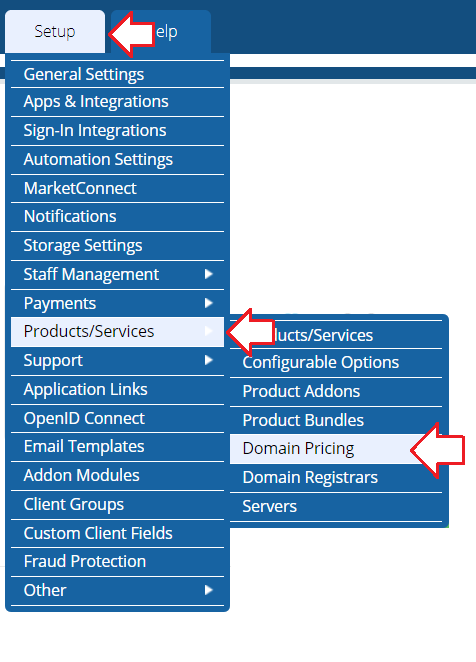
- Set up TLD's you want to resell and set Auto Registration to "HostafricaDomainResellerModule"

- You can check available TLD’s for resellers in your HOSTAFRICA Client Panel> Domain Reseller> Pricing

- After setting up TLD’s you would want to resell, press on Open Pricing for each TLD and set the prices you will resell domains at to your end customer.

- Once done setting up prices, scroll down and press Save Changes at the bottom of the page
The HOSTAFRICA Domain Reseller Integration is completed.
Enabling access to previously owned domains via reseller platform
- There's a way to import previously created domain names on HOSTAFRICA to your WHMCS API integration.
- Log in to the HOSTAFRICA Client Panel.
- Navigate to Domain Reseller

- Click on Domains
- Then navigate to Assign Domains

- In opened Dialog Box select all domains you want to access through the reseller platform and press Assign.

- Your previously registered and now assigned domains will be available for access via the Domain Reseller platform.
Optional Step For WHMCS
- In case the domain needs to be added to your WHMCS, just create an order for the domain without initiating a registration or transfer action.
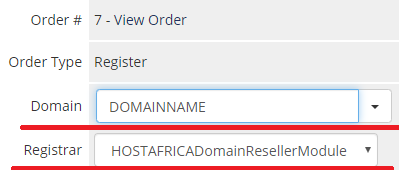
- Open created Domain you want to access through the reseller platform, fill in the domain name, and select registrar HostafricaDomainResellerModule.